GramstoMoles — now version 2.0.1
Chemistry conversions you can actually follow
(formerly Grams to Moles Chemistry)
GramstoMoles is free to download. Your first month is free, then $9.99 per year.
Download GramstoMoles on the App Store:
https://apps.apple.com/app/id969755915
Every step shown, not just the answer. GramstoMoles writes out each unit factor in a conversion and crosses out every unit as it cancels, so you can see why the answer is right.
It also solves more than 75 chemistry and physics equations for any variable, fits your lab data to a curve, draws heating and cooling curves, and still has the molar mass calculator and periodic table students have used for years.
Made for high-school and college chemistry students, teachers, and anyone who works with units.
On this page:
• Unit Factors, step by step
• Solve for any variable
• Graph it
• Molar mass
• The Periodic Table
• Subscription and support
• Privacy policy

Unit Factors, step by step
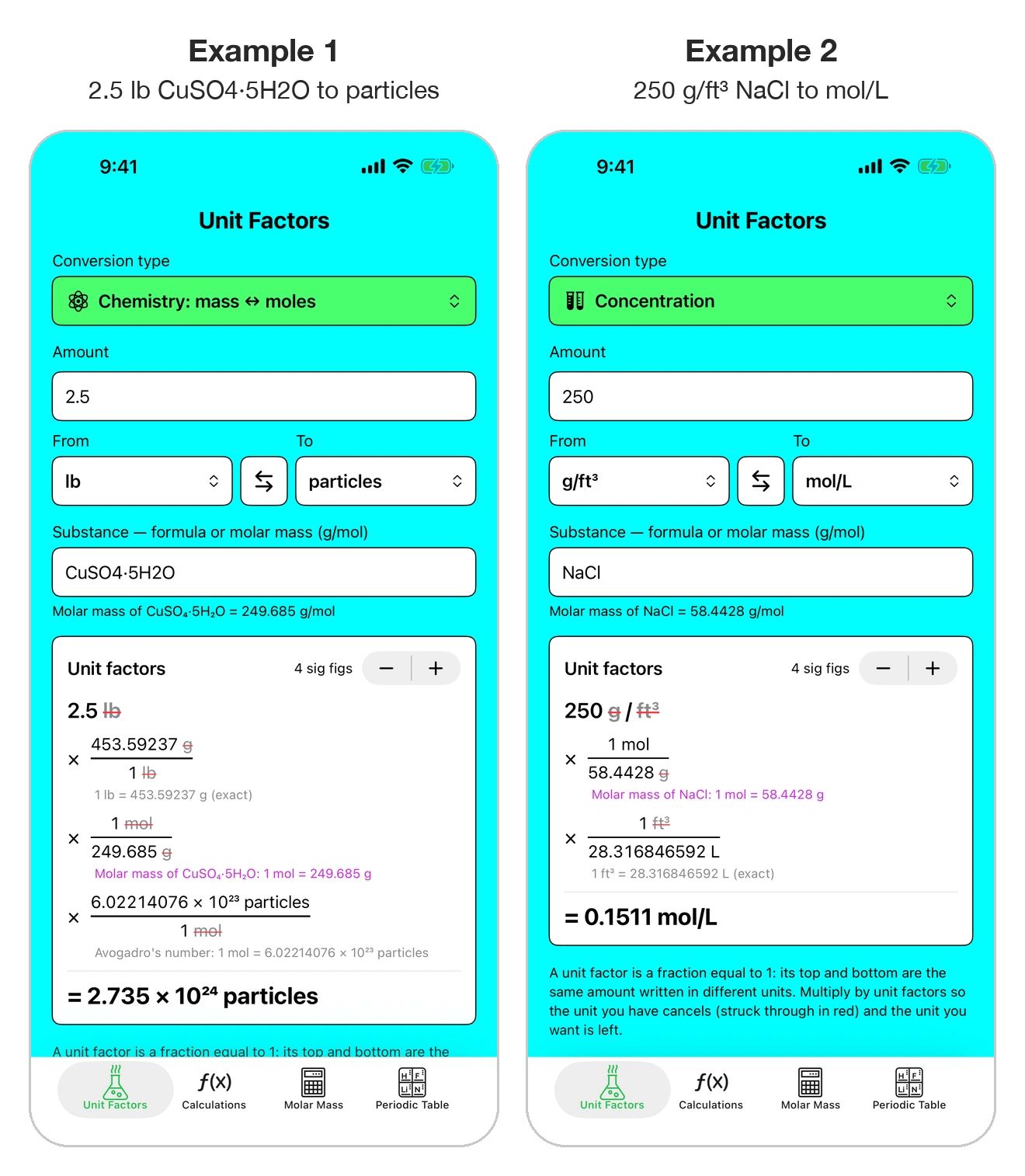
Pick what you have and what you want. Each unit factor is written out, and every unit is crossed out in red as it cancels.
• Grams ↔ moles ↔ particles
• Type any formula, even CuSO4·5H2O or K4[Fe(CN)6], for its molar mass
• Concentration, density, pressure, energy, speed, flow rate and more
• ppm ↔ mass % and ppmv ↔ volume %
How to use it
1. Open the Unit Factors tab (the flask at the bottom left).
2. Tap Conversion type and choose a category.
3. Type the amount, then choose the From and To units. The arrows button swaps them.
4. For mass ↔ moles, type the formula (or the molar mass) in the Substance box.
5. Read the answer in the Unit factors card. Use − and + to change the significant figures.
Example 1: 2.5 lb of CuSO4·5H2O to particles
2.5 lb × (453.59237 g / 1 lb) × (1 mol / 249.685 g) × (6.02214076 × 10²³ particles / 1 mol) = 2.735 × 10²⁴ particles
Example 2: 250 g/ft³ of NaCl to moles per liter
250 g/ft³ × (1 mol / 58.4428 g) × (1 ft³ / 28.316846592 L) = 0.1511 mol/L
Tip: element symbols need the right capital letters. Co is cobalt; CO is carbon monoxide.
Solve for any variable
More than 75 chemistry and physics equations in 12 topics. Fill in what you know; the app solves for whatever is missing.
• Gas laws, solutions, pH and buffers
• Electrochemistry and thermodynamics
• Circuits, mechanics and quantum mechanics
• Pick the units for every value
How to use it
1. Open the Calculations tab (f(x) at the bottom).
2. Tap a topic, or search for an equation such as "ideal gas" or "Nernst".
3. Tap an equation, then choose the variable you want in the green Solve for box.
4. Type the values you know. Each box has its own unit menu (atm, kPa, mmHg and so on).
5. The answer appears in the Answer card.
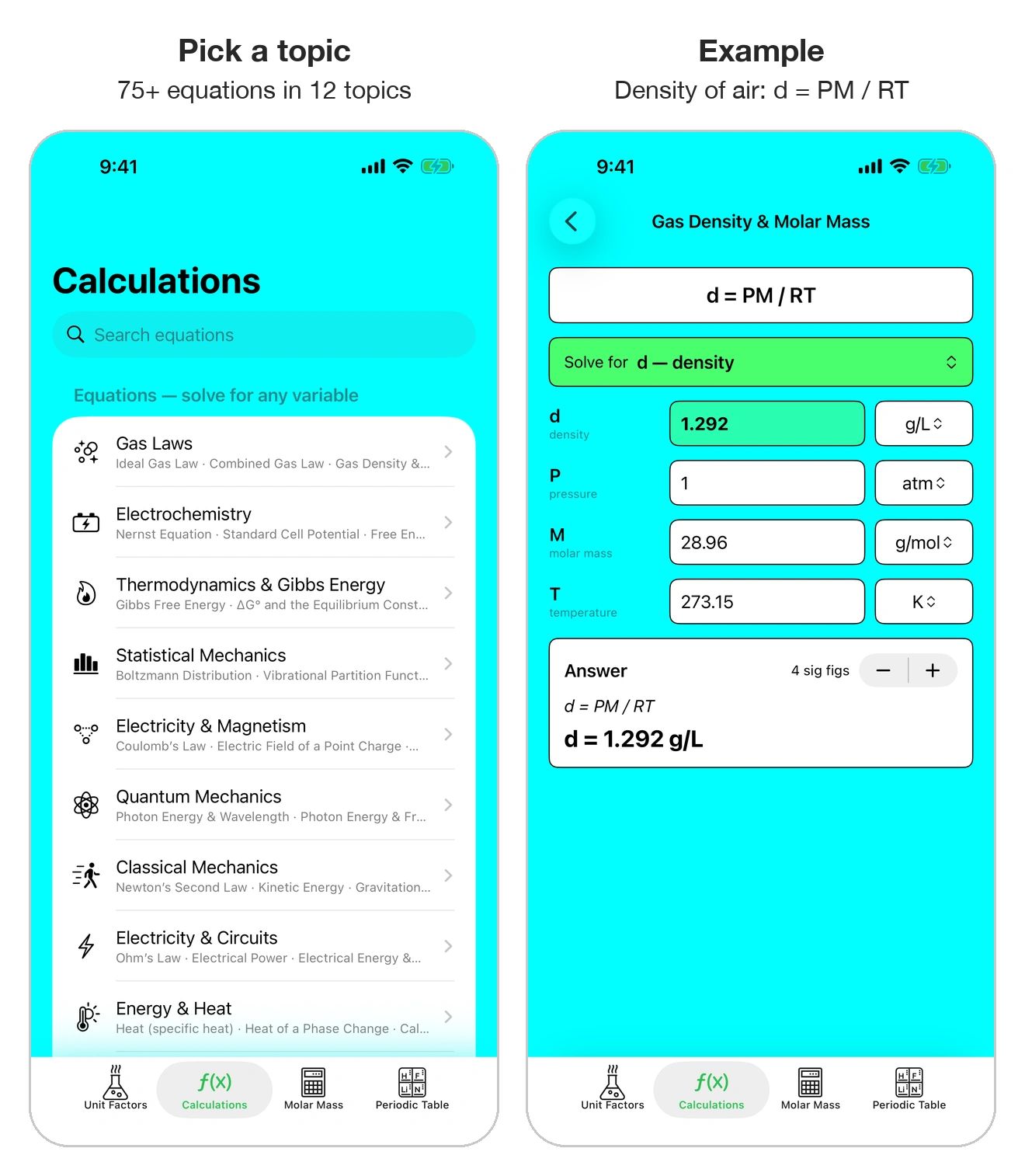
Example: density of air at 0 °C and 1 atm (d = PM / RT)
Enter P = 1 atm, M = 28.96 g/mol, T = 273.15 K → d = 1.292 g/L
Also in Calculations: resistors and capacitors in series and parallel, and a table of physical constants.
Graph it
See the chemistry, not just the numbers.
• Curve Fitting: fit lab data to 10 models, with a graph
• Heating & Cooling Curves: melting and boiling, step by step
• Every q = m·c·ΔT and q = n·ΔH worked out
Heating & Cooling Curves
1. In the Calculations tab, tap Heating & Cooling Curves (under Tools).
2. Water is built in. For another substance, change any value and the app switches to Custom.
3. Enter the mass and the start and end temperatures. Hotter at the end gives a heating curve; colder gives a cooling curve.
4. Read each step with its numbers filled in, then the total heat. The graph is colored by phase.
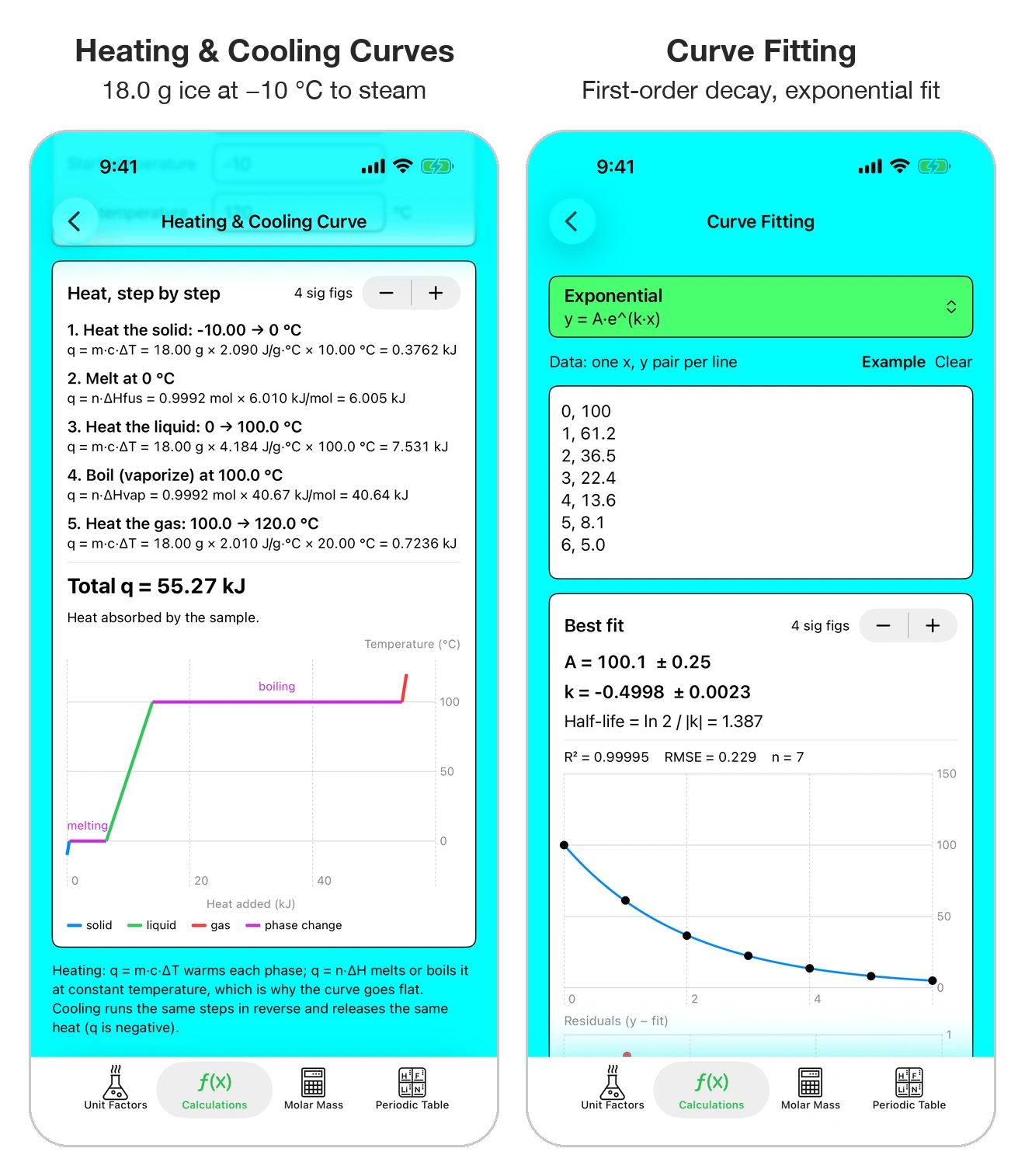
Example: 18.0 g of ice at −10 °C heated to steam at 120 °C takes 55.27 kJ. Boiling alone takes 40.64 kJ, which is why the boiling plateau is the longest part of the curve.
Curve Fitting
1. In the Calculations tab, tap Curve Fitting (under Tools).
2. Choose a model: linear, quadratic, exponential, power law, logarithmic, Michaelis–Menten, logistic, Gaussian, Arrhenius and more.
3. Type your data, one x, y pair per line (for example 0, 100), or tap Example to load sample data.
4. Read the fitted values with their ± errors, R², and extras such as half-life or activation energy. A residuals plot shows how well the curve fits.
Molar mass
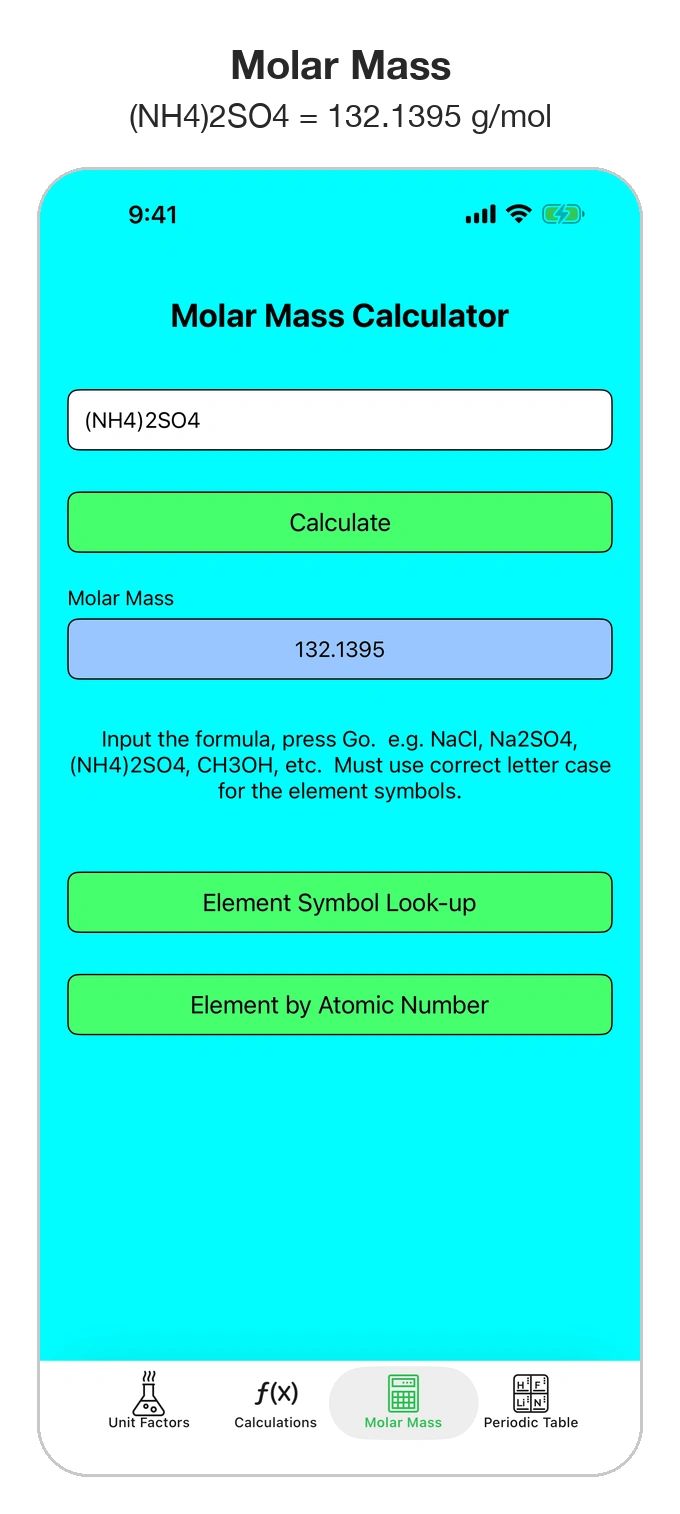
The molar mass calculator students have used for years is still here, now with a more reliable formula reader.
• Molar mass from any formula, including parentheses like (NH4)2SO4
• Look up elements by symbol or atomic number
• No ads, no account, works offline
How to use it
1. Open the Molar Mass tab.
2. Type a chemical formula, for example NaCl, Na2SO4, (NH4)2SO4 or CH3OH.
3. Tap Calculate. The molar mass appears in g/mol.
4. Tap Element Symbol Look-up to find an element by its symbol, or Element by Atomic Number to browse the elements in order.
Example: (NH4)2SO4 = 132.1395 g/mol
Tip: element symbols need the right capital letters. Co is cobalt; CO is carbon monoxide.
The Periodic Table
A full periodic table, colored by group, with the details you need for homework and lab.
• Alkali metals, transition metals, halogens, noble gases and more, each in its own color
• Tap any element for its details
• Zoom in and out, and drag to move around
How to use it
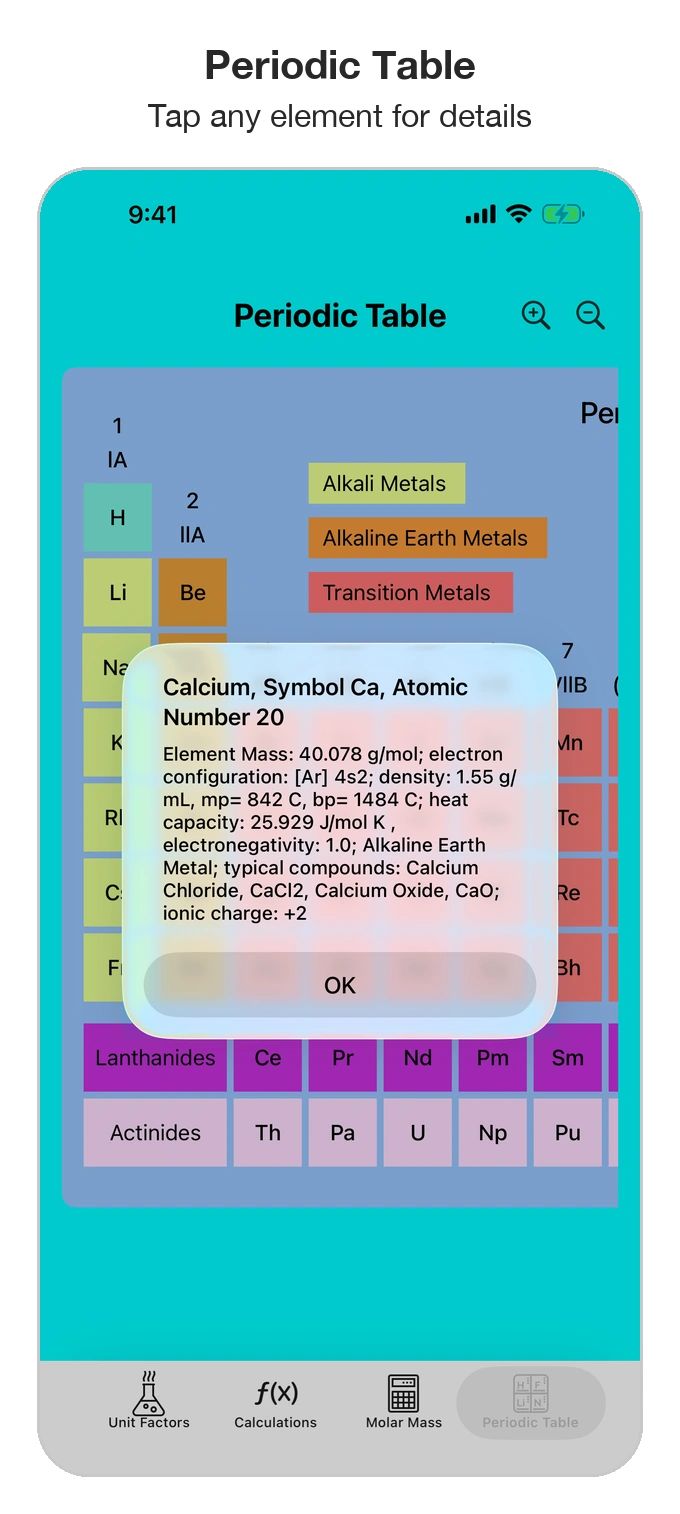
1. Open the Periodic Table tab.
2. Use the magnifying-glass buttons to zoom in and out, and drag to scroll.
3. Tap any element to see its atomic mass, electron configuration, density, melting and boiling points, heat capacity, electronegativity, typical compounds and ionic charge.
Example: tap Ca to see calcium. Atomic mass 40.078 g/mol, electron configuration [Ar] 4s², ionic charge +2.
Subscription and support
Subscription
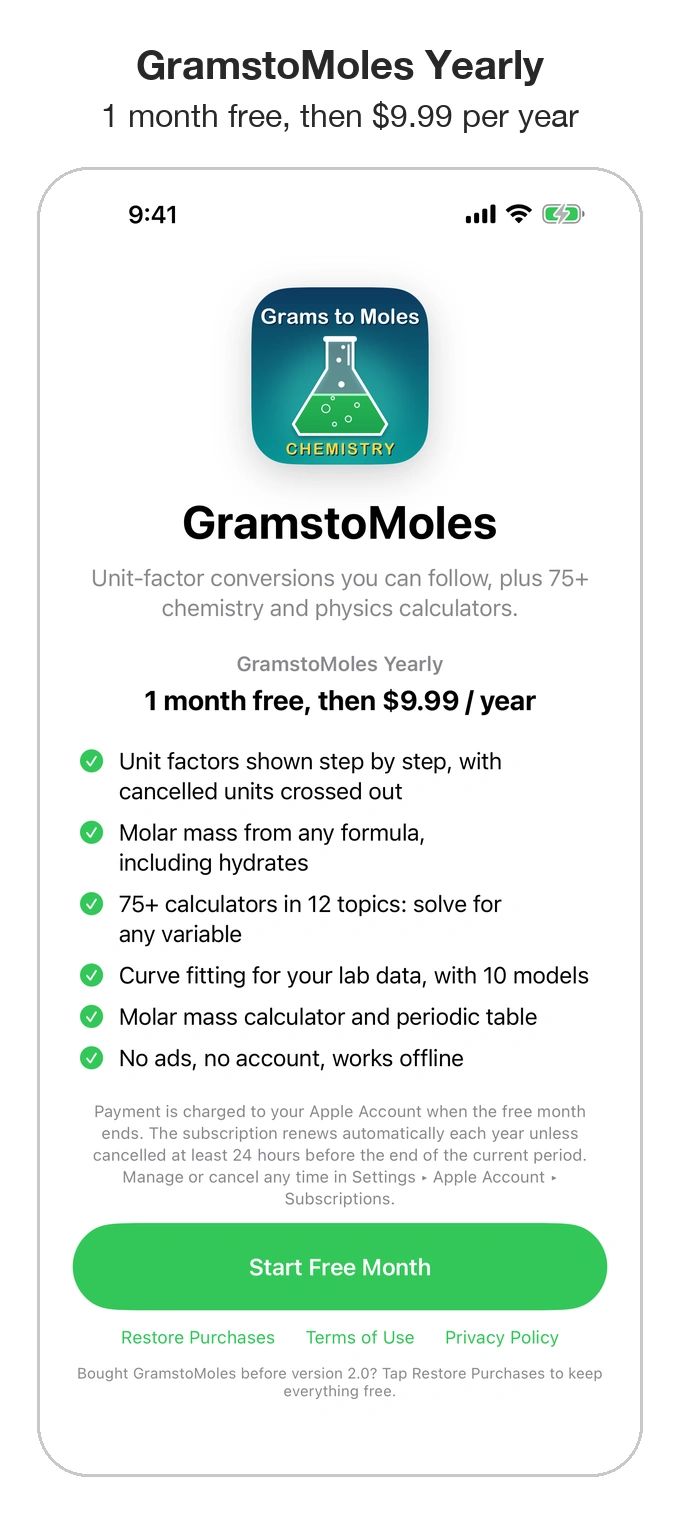
GramstoMoles is free to download, and everything is included with GramstoMoles Yearly: one month free, then $9.99 per year. Payment is charged to your Apple Account when the free month ends. The subscription renews automatically unless cancelled at least 24 hours before the end of the current period. Manage or cancel any time in Settings > Apple Account > Subscriptions.
Download GramstoMoles on the App Store:
https://apps.apple.com/app/id969755915
Bought GramstoMoles before version 2.0? You keep everything without subscribing. Just tap Restore Purchases in the app.
Terms of Use (EULA): https://www.apple.com/legal/internet-services/itunes/dev/stdeula/
Support
Questions, a calculation that doesn't look right, or an idea for a new feature? Email: rjgjrenterprises@yahoo.com
GramstoMoles - Privacy Policy
Last updated: 12 October 2026
GramstoMoles was previously named Grams to Moles Chemistry. Only the name has changed.
GramstoMoles does not collect, store, or share any personal information.
• No accounts. You never sign in or create an account.
• No data collection. Everything you type (formulas, numbers and lab data) stays on your device and is used only to do the calculation you asked for. Nothing is sent to us or to anyone else.
• No tracking or advertising. The app has no ads, analytics, or third-party tracking code.
• No internet connection needed. All calculations run on your device.
• Purchases. Apple handles subscriptions and payments under Apple's own privacy policy. We never see your payment details.
• Children. Because we collect no information, the app is safe for students of any age.
If this policy ever changes, we'll update this page and the date above.
Contact: rjgjrenterprises@yahoo.com
Robert Gulotty / RJGJr Enterprises